Building a Live Terminal Statusline for Claude Code: Tokens, Limits, and Responsive Wrapping
How to design a resilient Bash statusline command for Claude Code that displays workspace context, token consumption, rolling rate limits, and ANSI color formatting without terminal overflow.
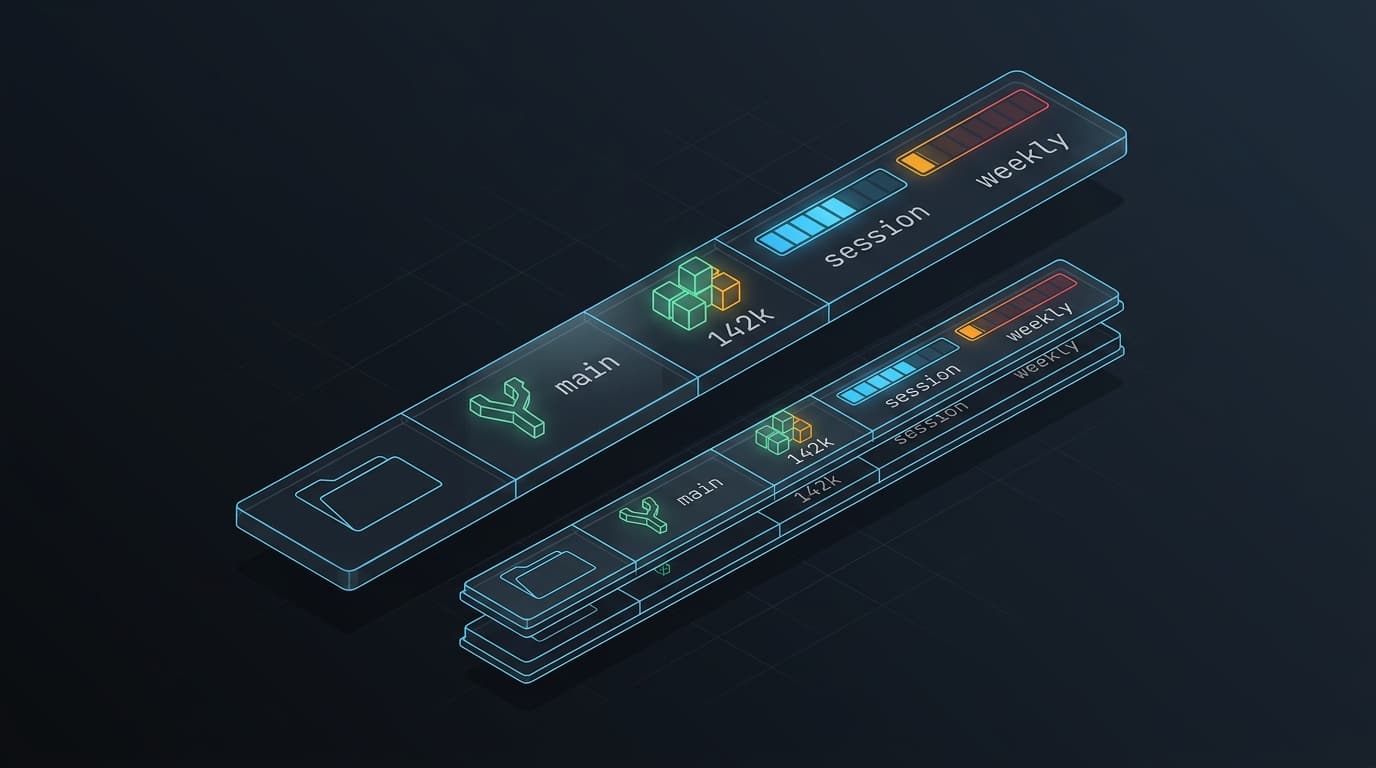
When running long agentic sessions with command-line tools like Claude Code, visibility into session telemetry is crucial. Developers frequently need answers to four questions at a glance:
- Where is the agent executing? (Current working directory)
- What branch is currently active? (Git status without locking repository indexes)
- How many tokens have been consumed? (Context window budget)
- Where do my rate limits stand? (Session 5-hour and weekly 7-day quota utilization)
Claude Code exposes an extensible configuration hook called statusLine.command. By pointing this setting to an executable shell script, Claude Code pipes a rich JSON telemetry payload into your command’s stdin on every refresh cycle.
However, implementing a production-grade statusline in Bash surfaces subtle systems-level challenges: ANSI escape sequence decoding pitfalls, subshell latency overhead, git index lock contention, and terminal character counting errors during line wrapping.
In this guide, we walk through the architecture of a custom statusline, analyze common failure modes, and build a modular Bash implementation.
The Protocol Contract: Claude Code Stdin Payload
When configured with "type": "command", Claude Code invokes your statusline script and pipes a serialized JSON object into standard input:
{
  "workspace": {
    "current_dir": "/home/engineer/projects/distributed-service"
  },
  "context_window": {
    "total_input_tokens": 128450,
    "context_window_size": 200000
  },
  "rate_limits": {
    "five_hour": {
      "used_percentage": 42.5
    },
    "seven_day": {
      "used_percentage": 18.2
    }
  }
}
Your script’s responsibility is simple: parse this input, compute any additional metadata (such as git branches), format the line with terminal colors, and emit the final string to stdout.
Setting Up the Configuration Hook
To activate the hook, register it in your Claude Code user configuration file at ~/.claude/settings.json:
{
  "statusLine": {
    "type": "command",
    "command": "bash ~/.claude/statusline-command.sh",
    "timeout": 10
  }
}
[!TIP] Always enforce a strict
timeoutparameter (such as10seconds). If a subshell freezes—for example, during network-mounted filesystem traversal or slow git status evaluation—Claude Code gracefully aborts the execution without stalling your interactive prompt.
Architectural Pitfalls in Terminal Scripting
Before writing the script, several subtle Bash and terminal rendering behaviors must be accounted for.
1. The ANSI Escape Concatenation Trap
A frequent mistake in Bash statuslines is concatenating raw ANSI color sequences using standard double-quoted strings:
# BROKEN: Prints literal characters "\033[2;33mSession:\033[0m"
var="${var} \033[2;33mSession:\033[0m"
In POSIX shell and Bash, plain double quotes ("...") and single quotes ('...') treat \033 as a literal backslash followed by three numbers. The escape byte (0x1B or ESC) is never emitted to the terminal emulator.
There are only two reliable ways to output colors in Bash:
- Through
printf’s format-string parameter:printf '\033[2;33m%s\033[0m' "Session:" - Via ANSI-C Quoting (
$'...') stored in a reusable variable:esc=$'\033' reset="${esc}[0m" yellow="${esc}[2;33m" cyan="${esc}[2;36m" # Safe concatenation var="${var} ${yellow}Session:${reset}"
2. Git Lock Contention via --no-optional-locks
The incoming JSON payload supplies the current working directory, but it deliberately omits git information to avoid blocking on slow repositories.
When querying the current branch from a background statusline hook, never run a bare git branch or git status. If another build tool, editor daemon, or Claude Code command is simultaneously interacting with git, you risk colliding with .git/index.lock.
Always query the branch using:
git -C "$cwd" --no-optional-locks branch --show-current 2>/dev/nullThe --no-optional-locks flag instructs git to avoid creating background locks or refreshing file status caches, keeping the query fast and non-disruptive.
3. Terminal Character Counting & Invisible ANSI Bytes
A responsive statusline should adapt gracefully:
- Wide viewports (> 100 columns): Display everything on a single horizontal line.
- Narrow viewports (split panes or mobile terminals): Wrap metrics onto a clean second line instead of allowing the terminal emulator to truncate or mangle the text mid-word.
Calculating whether text exceeds the terminal width (tput cols or $COLUMNS) requires knowing the visible display length of the line.
Running wc -m directly on a string containing ANSI escape codes will overcount substantially. For example:
- Visible text:
"Session: 42%"(12 characters) - Raw string with ANSI escapes:
"\033[2;33mSession:\033[0m 42%"(23 characters)
If you calculate length without stripping the escape bytes, your script will trigger multi-line wrapping prematurely. The solution is to strip ANSI codes with a regular expression before measuring length:
plain_length() {
  echo -n "$1" | sed -E 's/\x1b\[[0-9;]*m//g' | wc -m
}
Visualizing Quota: Unicode Block Progress Bars
Text percentages (42%) require mental effort to parse. A mini horizontal bar gauge ([████░░░░░░]) provides instantaneous spatial feedback.
Using standard UTF-8 block elements (█ for filled segments, ░ for unfilled segments), we can compute a scaled bar with pure integer arithmetic:
draw_progress_bar() {
  local percentage="${1%.*}" # Strip decimals
  local total_width="$2"     # Desired character width (e.g. 10)

  [ -z "$percentage" ] && percentage=0
  (( percentage > 100 )) && percentage=100

  local filled=$(( percentage * total_width / 100 ))
  local empty=$(( total_width - filled ))

  printf '%0.s█' $(seq 1 $filled 2>/dev/null)
  printf '%0.s░' $(seq 1 $empty 2>/dev/null)
}
The Complete Implementation
Here is the complete production script. Save this file to ~/.claude/statusline-command.sh and make it executable with chmod +x ~/.claude/statusline-command.sh.
#!/usr/bin/env bash
set -eo pipefail

# 1. Capture JSON payload from Claude Code via standard input
raw_input=$(cat)

if [ -z "$raw_input" ]; then
  exit 0
fi

# 2. Extract telemetry fields using jq
cwd=$(echo "$raw_input" | jq -r '.workspace.current_dir // .cwd // empty')
total_tokens=$(echo "$raw_input" | jq -r '.context_window.total_input_tokens // 0')
session_pct=$(echo "$raw_input" | jq -r '.rate_limits.five_hour.used_percentage // empty')
weekly_pct=$(echo "$raw_input" | jq -r '.rate_limits.seven_day.used_percentage // empty')

# 3. ANSI Escape definitions via ANSI-C quoting
esc=$'\033'
c_reset="${esc}[0m"
c_dim="${esc}[2m"
c_cyan="${esc}[2;36m"
c_yellow="${esc}[2;33m"
c_magenta="${esc}[2;35m"
c_green="${esc}[2;32m"

# 4. Progress bar generator
render_bar() {
  local pct="${1%.*}"
  local width="${2:-8}"

  [ -z "$pct" ] && pct=0
  (( pct > 100 )) && pct=100

  local filled=$(( pct * width / 100 ))
  local empty=$(( width - filled ))

  local bar=""
  if [ "$filled" -gt 0 ]; then
    bar+=$(printf '%0.s█' $(seq 1 "$filled"))
  fi
  if [ "$empty" -gt 0 ]; then
    bar+=$(printf '%0.s░' $(seq 1 "$empty"))
  fi
  printf '%s' "$bar"
}

# 5. Format the workspace & context segment (Line 1)
path_display=""
if [ -n "$cwd" ]; then
  # Compact home directory to ~
  path_display="${cwd/#$HOME/\~}"
fi

branch_display=""
if [ -n "$cwd" ] && [ -d "$cwd/.git" ]; then
  branch=$(git -C "$cwd" --no-optional-locks branch --show-current 2>/dev/null || true)
  if [ -n "$branch" ]; then
    branch_display="${c_cyan}(${branch})${c_reset}"
  fi
fi

# Format token count (e.g., 128450 -> 128k)
if (( total_tokens >= 1000 )); then
  token_str="$(( total_tokens / 1000 ))k tok"
else
  token_str="${total_tokens} tok"
fi

line_context="${c_dim}${path_display}${c_reset}"
[ -n "$branch_display" ] && line_context="${line_context} ${branch_display}"
line_context="${line_context} ${c_magenta}${token_str}${c_reset}"

# 6. Format rate limits segment
limits_parts=()

if [ -n "$session_pct" ]; then
  int_session="${session_pct%.*}"
  bar_session=$(render_bar "$int_session" 8)
  limits_parts+=("${c_yellow}5h:${c_reset} [${bar_session}] ${int_session}%")
fi

if [ -n "$weekly_pct" ]; then
  int_weekly="${weekly_pct%.*}"
  bar_weekly=$(render_bar "$int_weekly" 8)
  limits_parts+=("${c_green}7d:${c_reset} [${bar_weekly}] ${int_weekly}%")
fi

limits_str=""
if [ ${#limits_parts[@]} -gt 0 ]; then
  limits_str=$(IFS=" "; echo "${limits_parts[*]}")
fi

# 7. Adaptive Viewport Wrapping
# Determine terminal columns available
cols=$(tput cols 2>/dev/null || echo "${COLUMNS:-80}")

# Helper: compute visible character length by stripping ANSI escape sequences
calc_visible_len() {
  echo -n "$1" | sed -E 's/\x1b\[[0-9;]*m//g' | wc -m
}

if [ -z "$limits_str" ]; then
  # If no rate limits were reported, emit single context line
  printf '%s\n' "$line_context"
else
  len_context=$(calc_visible_len "$line_context")
  len_limits=$(calc_visible_len "$limits_str")
  total_projected_len=$(( len_context + 2 + len_limits ))

  # If both segments exceed available columns, wrap cleanly onto two lines
  if [ "$total_projected_len" -ge "$cols" ]; then
    printf '%s\n%s\n' "$line_context" "$limits_str"
  else
    printf '%s  %s\n' "$line_context" "$limits_str"
  fi
fi
Verifying in Isolation
You can test the script immediately without restarting Claude Code by piping mock JSON into it:
echo '{
  "workspace": { "current_dir": "'"$PWD"'" },
  "context_window": { "total_input_tokens": 142000 },
  "rate_limits": {
    "five_hour": { "used_percentage": 68.4 },
    "seven_day": { "used_percentage": 24.1 }
  }
}' | bash ~/.claude/statusline-command.sh
Result:
~/projects/service (main) 142k tok 5h: [█████░░░] 68% 7d: [██░░░░░░] 24%When resized into a narrow terminal split (< 60 columns), the script automatically shifts the quotas onto line two:
~/projects/service (main) 142k tok
5h: [█████░░░] 68% 7d: [██░░░░░░] 24%Key Engineering Takeaways
- String concatenation does not interpret
\033: Always use ANSI-C quoting (esc=$'\033') or pass formatting strings directly toprintf. - Never lock repositories from telemetry hooks: Background status scripts must always invoke
gitwith--no-optional-locksto avoid race conditions with developer tooling. - Strip ANSI before measuring geometry: Display metrics depend on printable character count, not byte count. Failure to strip escape codes leads to broken responsive wrapping.
- Resilient failure boundaries: Defaulting all JSON extracts through
jq // emptyguarantees the script never crashes when Claude Code adds or renames telemetry keys.